Tutorial: Use ezyVet with PawfectNotes AI Scribe
PawfectNotes is a veterinary AI scribe that works alongside your system as a browser extension. You record the appointment in PawfectNotes, review the note, then export it into your patient's record.
Disclaimer: PawfectNotes is an independent veterinary AI scribe and is not affiliated with, endorsed by, or partnered with ezyVet or its parent company.
👤 Step 1: Get An Account

⬇️ Step 2: Download Browser Extension

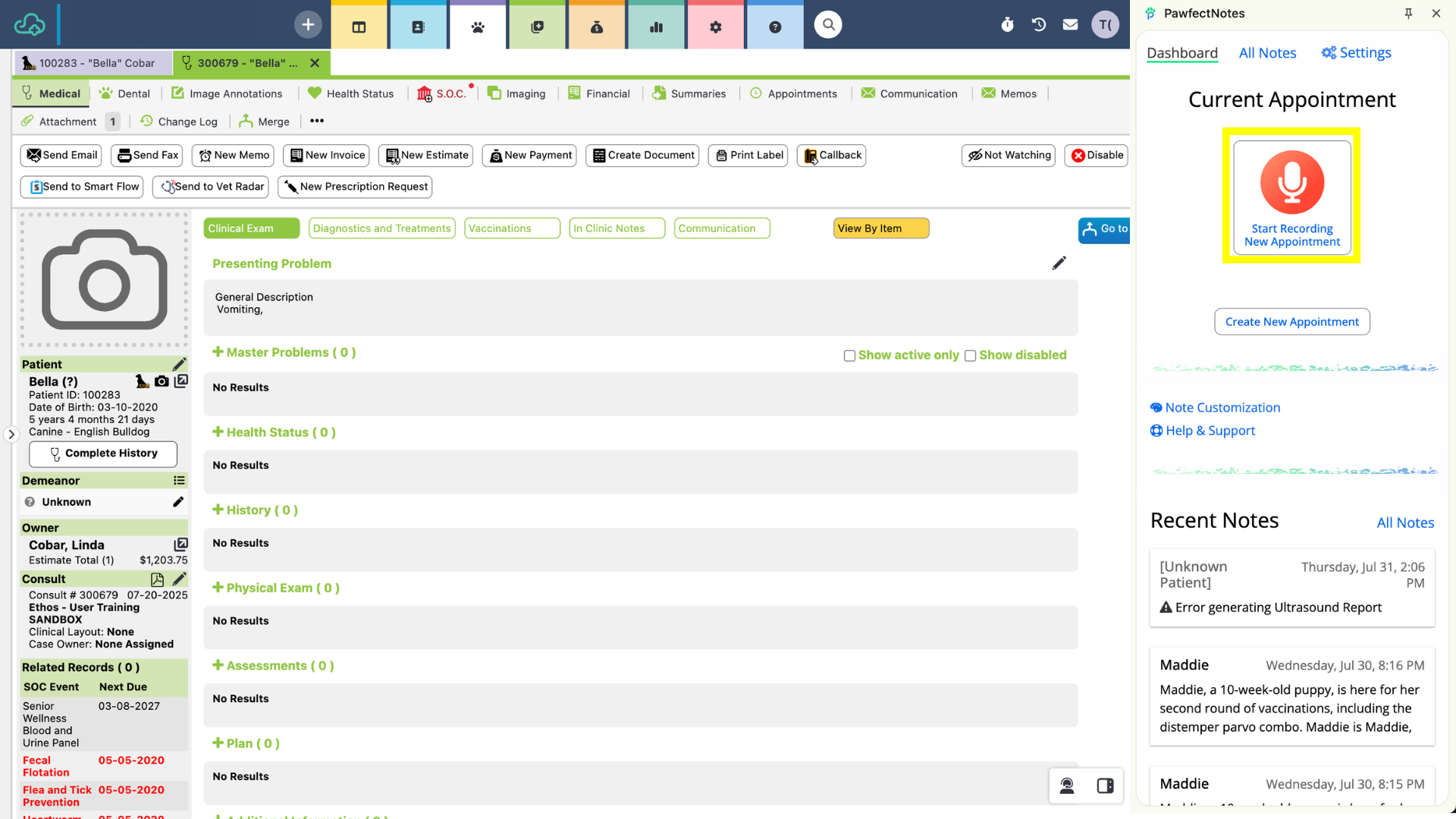
🎙️ Step 3: Record Appointment
- 1Open up ezyVet > then go to a patient's record
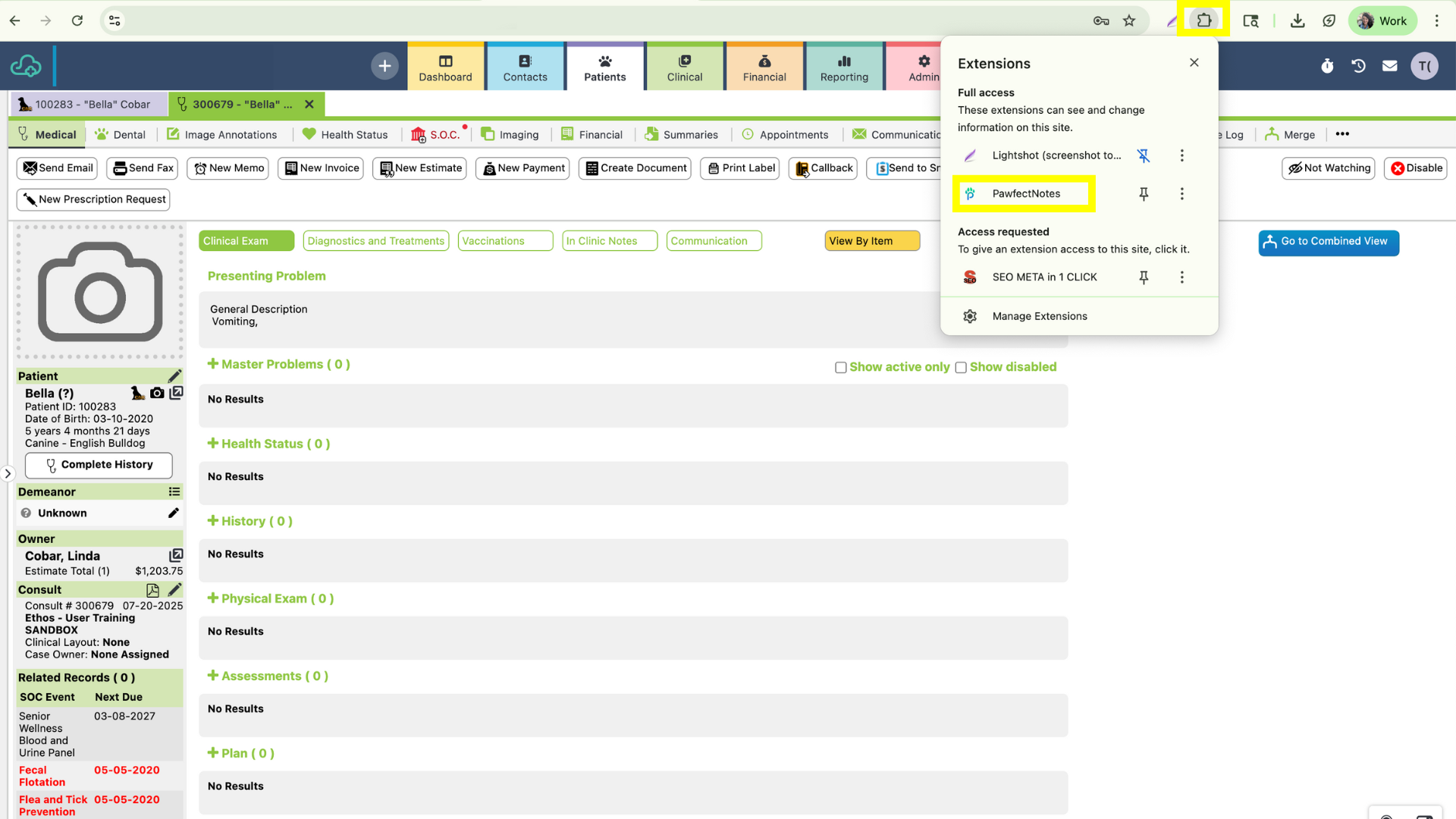
- 2Open up the
browser extension next to your patient's record

- 3Record an appointment
🔄 Step 4: Export Note
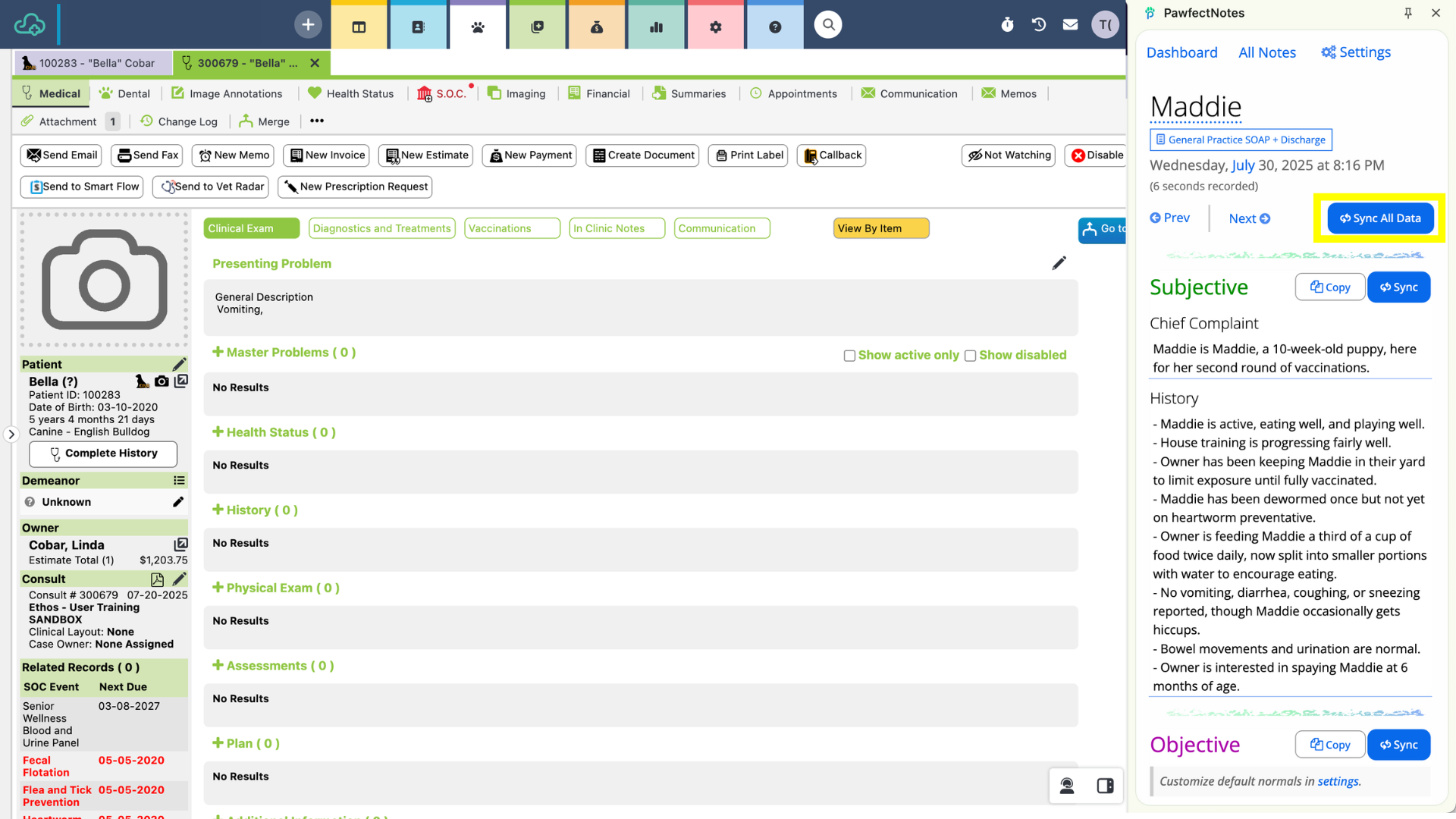
- Click on the Sync All Data button to automatically export notes into your EMR.